
FROM PROMPT TO MANUFACTURING

AI CAD for teams.Parametric CAD to production.

zCAD. AI generates editable CAD parts and assemblies from an engineering description. zCAD. Online develops that model into assemblies, drawings and manufacturing data, entirely in the browser.

zCAD. AI

GENERATION TO DELIVERY

Generation in zCAD. AI. Editing and drawings in zCAD. Online.

The same CAD model passes between the two products, with no export and no import in between. The workflow below is illustrated.

zCAD. AI · AI CAD generation

Turn text or a reference image into
structured, editable parametric CAD.

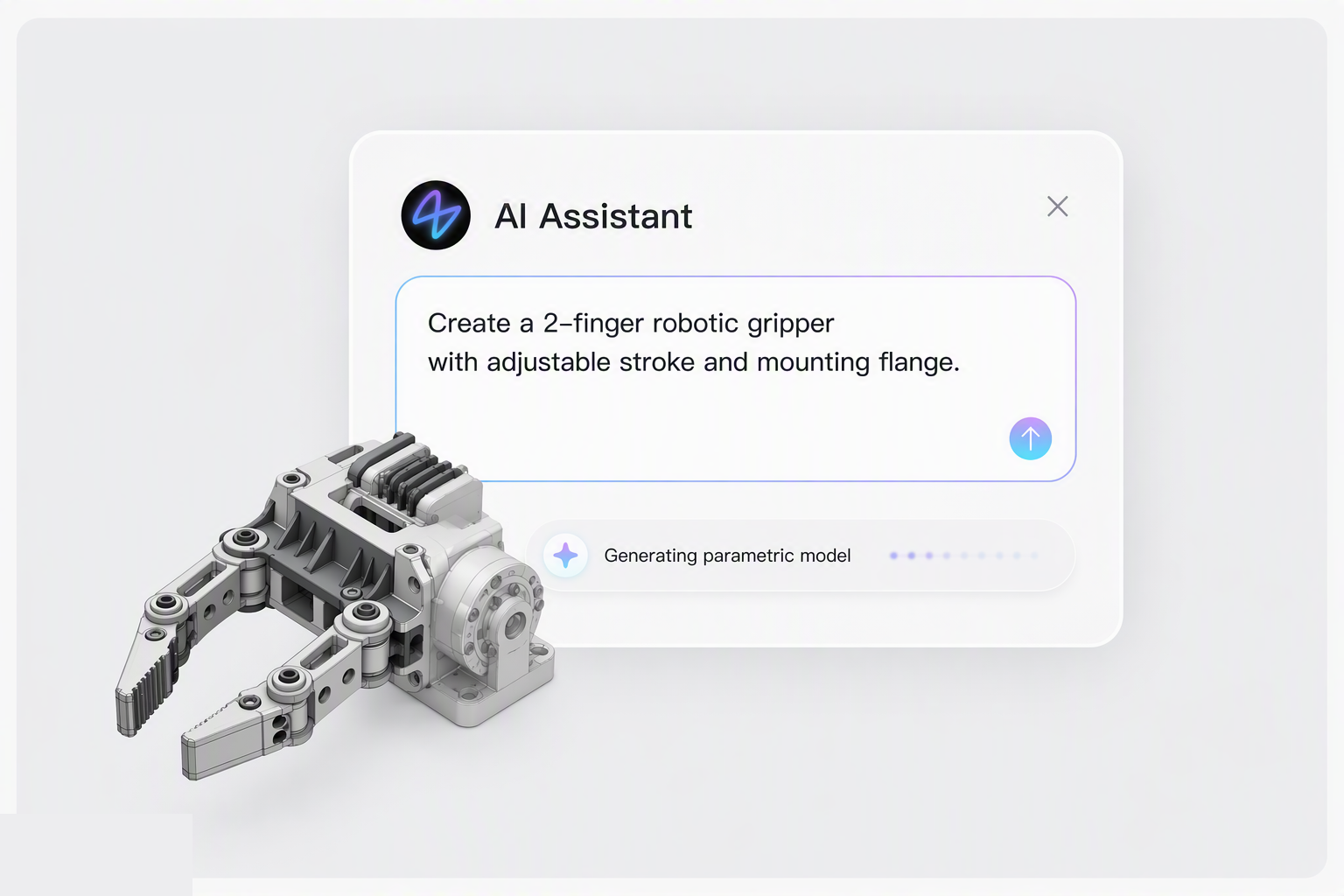
Illustration of a gripper generated from a brief in zCAD.ai
INPUTFunction, mounting interfaces, controlled dimensions, and the relationships that must hold.OUTPUTA parametric solid assembly carrying driving dimensions, geometric constraints, and assembly mates.

Same CAD model

CONNECTED CAD WORKFLOW

Handoff

NO EXPORT.
NO IMPORT.
JUST CONTINUITY.

zCAD. Online · Cloud CAD

Model parts, assemblies and drawings.
Manage versions and work as a team.

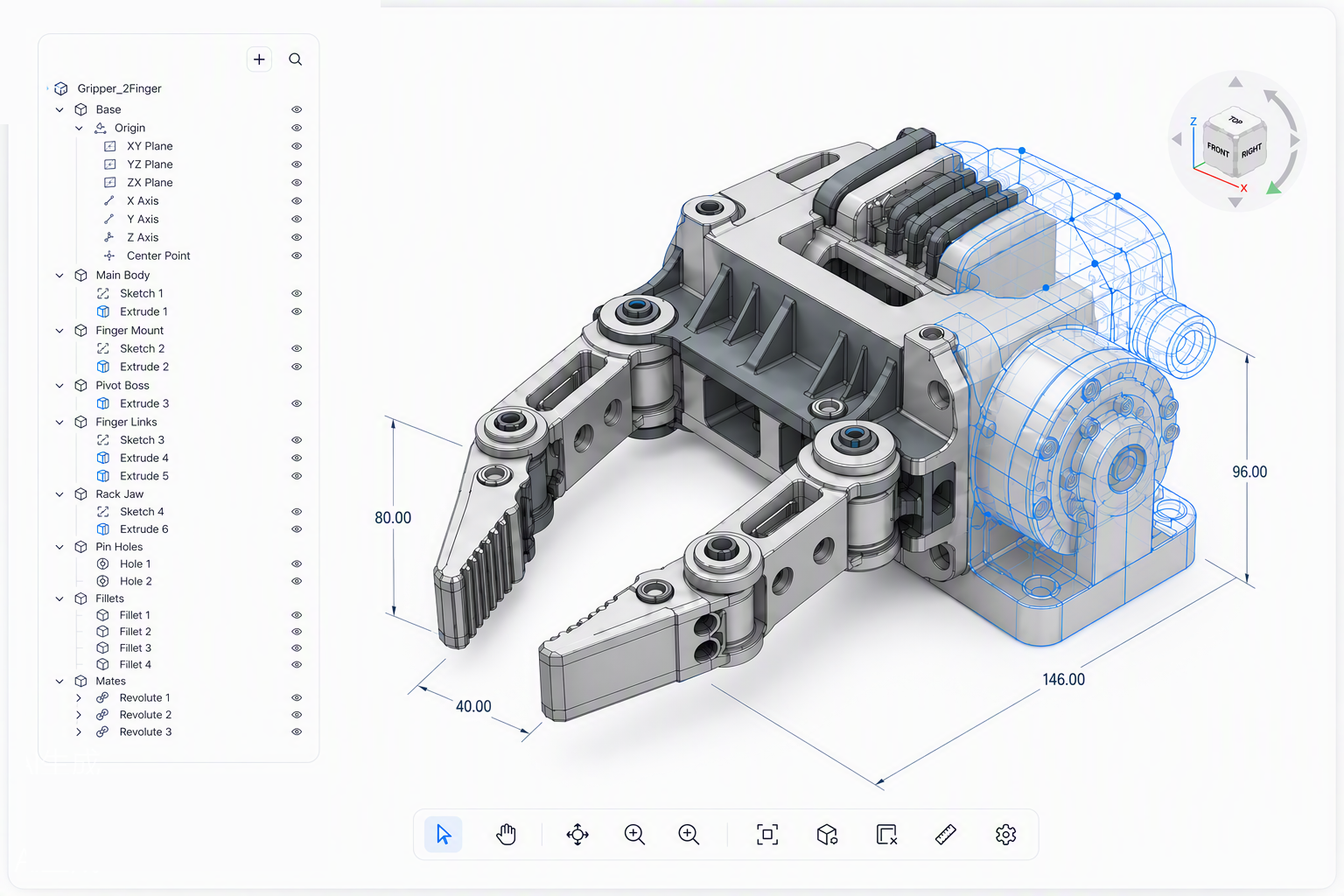
Illustration of the same gripper being edited in zCAD.online
EDITExtend the assembly, add sheet metal, weldments and surfaces, and change controlled dimensions.DELIVERAssociative 2D drawings, plus the CAD and manufacturing data the next process step needs.

THE ENGINEERING TOOLKIT

What zCAD does.

Explore all capabilities
zCAD. AI

From text or image
to structured CAD.

Generate multiple parts and their mates together, then refine the assembly.

Start with zCAD. AI
DESIGN INTENT
  • Driving dimensions
  • Geometric constraints
  • Assembly mates
zCAD. Online

Parametric modeling

Sketches and constraints, solid features, surfaces and wireframe curves.

zCAD. Online

Assemblies

Multi-level structures, standard and mechanical mates, static interference detection, BOM and motion simulation.

zCAD. Online

Sheet metal & structures

Bends, unfold and fold, forming tools and flat-pattern drawings. Weldments, structural members and routing.

zCAD. Online

Engineering drawings

Chain dimensions, geometric tolerances, surface finish, hole tables and balloons. Model-based definition for 3D annotation.

zCAD. Online

Analysis & rendering

Static structural analysis and built-in rendering, alongside tools for measuring and inspecting geometry.

zCAD. Online

CAD data exchange

Read the formats your engineering work already uses.

  • SolidWorks
  • CATIA
  • NX
  • Inventor
  • Solid Edge
  • STEP
  • Parasolid
zCAD. Online

Work as a team

Real-time co-editing, version history, project permissions and online review.

Explore collaboration
Feature availability varies by plan.Compare plans

BUILT AROUND YOUR WORK

Roles and typical scenarios.

From a single mounting bracket to the next team revision. Find the work you do.

SCENARIO 01zCAD.AI

Fit existing hardware.

A bracket has to hold a sensor on an existing hole pattern. The spacing is fixed, the height is not. Describe it once, measure it, then change the height.

Across industries

Industrial machinery · Electronics hardware · Robotics · Consumer products · Tooling and fixtures

Plans for how you work

Two ways to design, from idea to manufacturing.
Choose the plan that fits your workflow.

zCAD. AI

Describe a part or assembly, including its function, interfaces and dimensions. Generate editable CAD, then inspect and refine the result.

Best for
Starting from a clear idea of the part's function, fit and dimensions.

AI plans

Free

200 credits / month

+ 600 one-time Beta credits

Plus

$49.99 / month

1,650 credits / month

AI Pro

$89.99 / month

3,000 credits / month · Includes Online Standard

Business

Custom plan

AI plans for teams

zCAD. Online

Build parts, multi-level assemblies, sheet metal, weldments and surfaces in the browser. Drawings come from the model.

Best for
Direct control of the model and team collaboration in one shared project.

Online plans

Personal

Free

Single seat · non-commercial use

Standard

$589 / year$799

Beta price · per user

Online Pro

Coming soon

Advanced CAD and more AI credits

Enterprise

Custom plan

Team requirements and PDM

Frequently asked questions

What is zCAD?

zCAD is an AI-native CAD platform with two products: zCAD. AI for generating editable CAD from a description, and zCAD. Online for direct parametric modeling, drawings and collaboration. Both use one account, shared model data and credits.

Is zCAD a CAD viewer or CAD modeling software?

zCAD provides modeling software. zCAD. Online is a browser-based parametric CAD workspace. There is also a dedicated viewer for opening and inspecting CAD when you do not need to edit it.

Which product should I choose?

Start with zCAD. AI to generate a part or assembly from an engineering brief. Choose zCAD. Online for direct modeling, drawing creation and team project work. You can use either independently or continue from AI into Online with the same account.

What is free during Beta?

The free plans include the available modeling features during Beta; advanced Online Pro modules remain unavailable. AI Free includes 100 credits per month plus a one-time 200-credit Beta gift. Free accounts have public models and are non-commercial. See the pricing page for export rules and changes after Beta.

Who is zCAD for?

zCAD is for mechanical engineers, product designers, hardware makers and teams creating and revising parts, assemblies and drawings.

Your next engineering task

Choose the zCAD product for your current task

Generate a starting model with zCAD. AI, or build directly in zCAD. Online. Continue the design in the same platform when you need editing, drawings or collaboration.